Change Log Export (Audit)
VOR Stream records changes to definition and configuration objects over time and can export them as a change log for audit review.
Are changes logged?
Yes. Create, update, and delete operations on the major definition/configuration objects (studies, models, frameworks, methodologies, scenarios, factors/rules, configuration tables, uploads, filters, and their tracked relationships) are recorded via change history.
What detail is available (who / what / when)?
- The user who made the change through the web application.
systemidentifies changes with no signed-in user attached: background jobs, migrations, command-line tools, and changes made by an account that has since been deleted.--usercannot match a deleted account because its name is no longer stored on the row. - A UTC timestamp for each change.
- The action (created / updated / deleted) and the specific fields that changed, with their before and after values.
How are the logs exported?
A single command runs on the server (no additional system packages required) and writes a formatted Excel workbook alongside machine-readable CSV and JSON.
SSH to the Django server and run the command as the installation user. Set up the environment as described in Creating a Staff Account, including the extra library path required for PostgreSQL installations:
su - vrisk
export VOR_DJANGO_CONFIG=/opt/vor/etc/django/config.json
cd /opt/vor/django
venv/bin/python src/manage.py export_change_log \
    --output-dir /tmp/audit --since 2026-01-01 --until 2026-06-30
This produces:
change_log.xlsx: a formatted workbook. Its sheets are Overview, Change Log, By object, By person, User accounts, Runs & Approvals, and a hidden Raw data sheet holding the unformatted rows.change_log.csv,account_snapshot.csv,run_snapshot.csv: the same data as raw CSV, written as UTF-8 with a byte-order mark so Excel opens them directly. A script reading these files should decode them asutf-8-sig.summary.json: a machine-readable manifest of counts and scope.
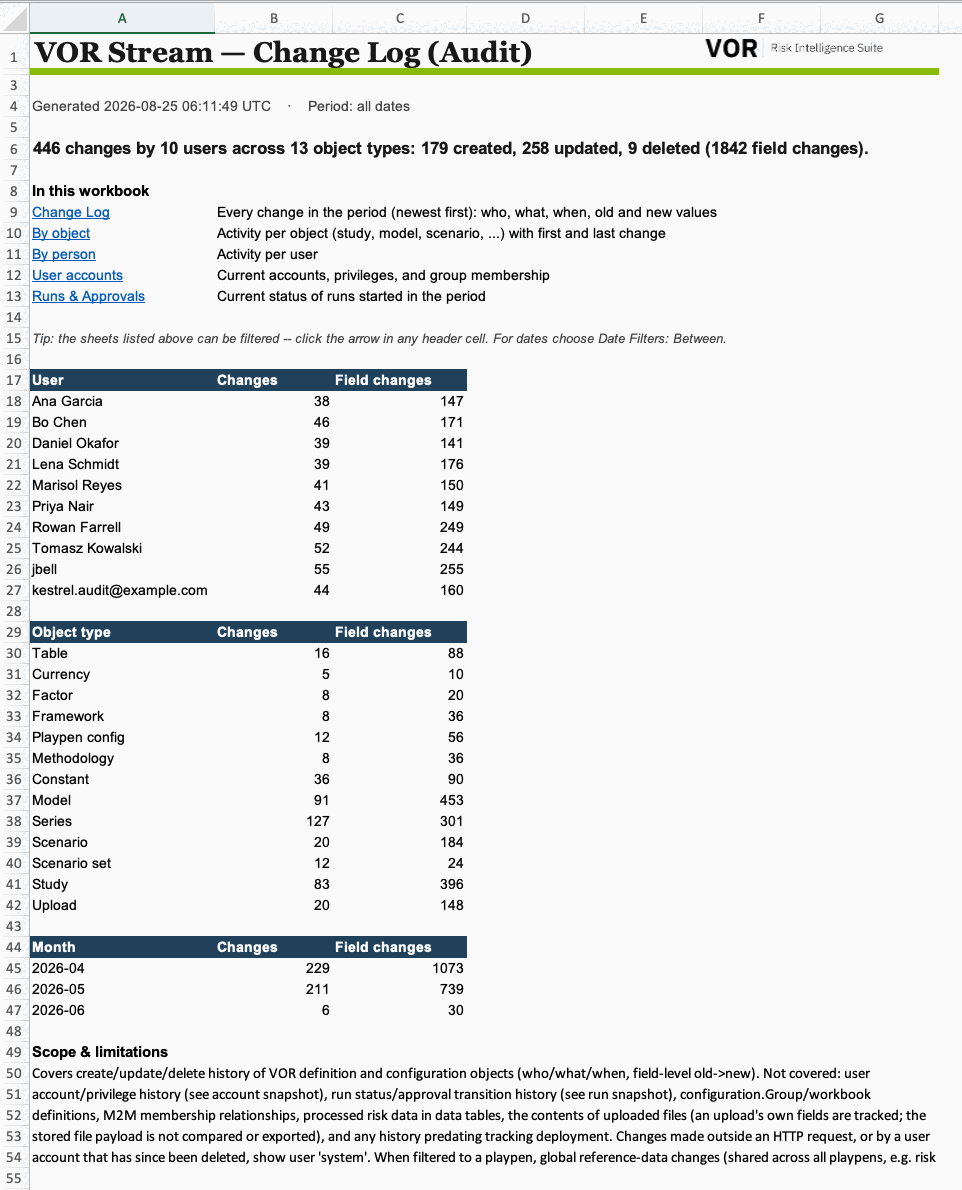
The workbook opens on an Overview sheet with totals and breakdowns by user and object type. It also links to the other sheets and includes the full scope statement.
Narrowing the export
Use the filters below to limit the export. A filter that cannot match any records produces a warning on stderr:
venv/bin/python src/manage.py export_change_log \
    --output-dir /tmp/audit --since 2026-04-01 --until 2026-06-30 \
    --user-playpen-path /opt/vor/data/cecl_2026q2 \
    --object-type study.Study --object-type model.Model \
    --user mreyes
| Flag | Effect |
|---|---|
--since / --until |
Date-only bounds; --until includes the whole end date. |
--user-playpen-path or --user-playpen-id |
One playpen. Pass one flag or the other, never both. |
--user |
Repeatable; matches the account's username. |
--app |
Repeatable; a Django app label such as study. |
--object-type |
Repeatable; a model label such as study.Study. Case-sensitive. |
--format |
csv, xlsx, or both. summary.json is written either way. |
The workbook follows your deployment's theme: its primary and accent colors and
a logo, falling back to the default VOR styling when none is configured. Quote
the color values in your Ansible vars (primary_color: "#244A66"), and give six
or eight hex digits: YAML reads an unquoted 024466 as a number, and a CSS
shorthand such as #93C is unsupported by spreadsheets. Invalid colors cause
the report to use its default palette. The report logo must be a
raster image such as PNG; SVG logos are not embedded.
Scope and limitations
The export covers ORM-level changes to definition and configuration objects. It excludes row-level changes to processed risk data and changes made before tracking was deployed. Configuration workbook/group definitions and many-to-many membership relationships are also excluded. Upload records are tracked, but the contents of uploaded files are neither compared nor exported.
Every export includes current account and run snapshots. These show account privileges and run status at export time; they do not contain a history of privilege changes or run status and approval transitions. The full scope statement accompanies every export.
The account snapshot is always system-wide
Even with a playpen filter, the account snapshot lists every account on the system with its name, email, superuser flag and group membership. Check this before handing a playpen-scoped export to an auditor who should only see one tenant. The filter applies only to the change log and run snapshot.
When reading the log, check how ownership and related records are identified:
- Some objects (for example scenario sets) do not record their owning
playpen at change time, so their playpen is attributed from current ownership
instead. Such rows are flagged
current_fallbackin the raw data, and when you filter to a single playpen they are matched on that current owner. - Relationship (foreign-key) fields show the related record's current name with
its internal id in parentheses (for example
Q3 2025 Set (51178)). If the related record has since been deleted, the cell reads51178 (deleted). A bare id on its own means the related record has no name to show. - A change belonging to a playpen that has since been deleted keeps its playpen
id and shows
(deleted playpen)for the path and name. Such rows stay outside any other playpen's filtered export, and you can still scope to that id. - A change whose owning playpen cannot be determined at all (for example a
record whose parent row was deleted) is marked
unresolved. Those rows appear only in an unfiltered export because their playpen cannot be matched. - Changes inside structured option fields (for example a playpen's build/run study options) are itemized in the workbook as one row per added, removed, or updated item, identified by the label shown on screen. The raw values remain in the workbook's hidden Raw data sheet and in the CSV.
The Change Log sheet below is filtered to one object type. The Field column
shows the path to the item that changed. For example, removing a currency from
a dropdown produces a row for that currency:
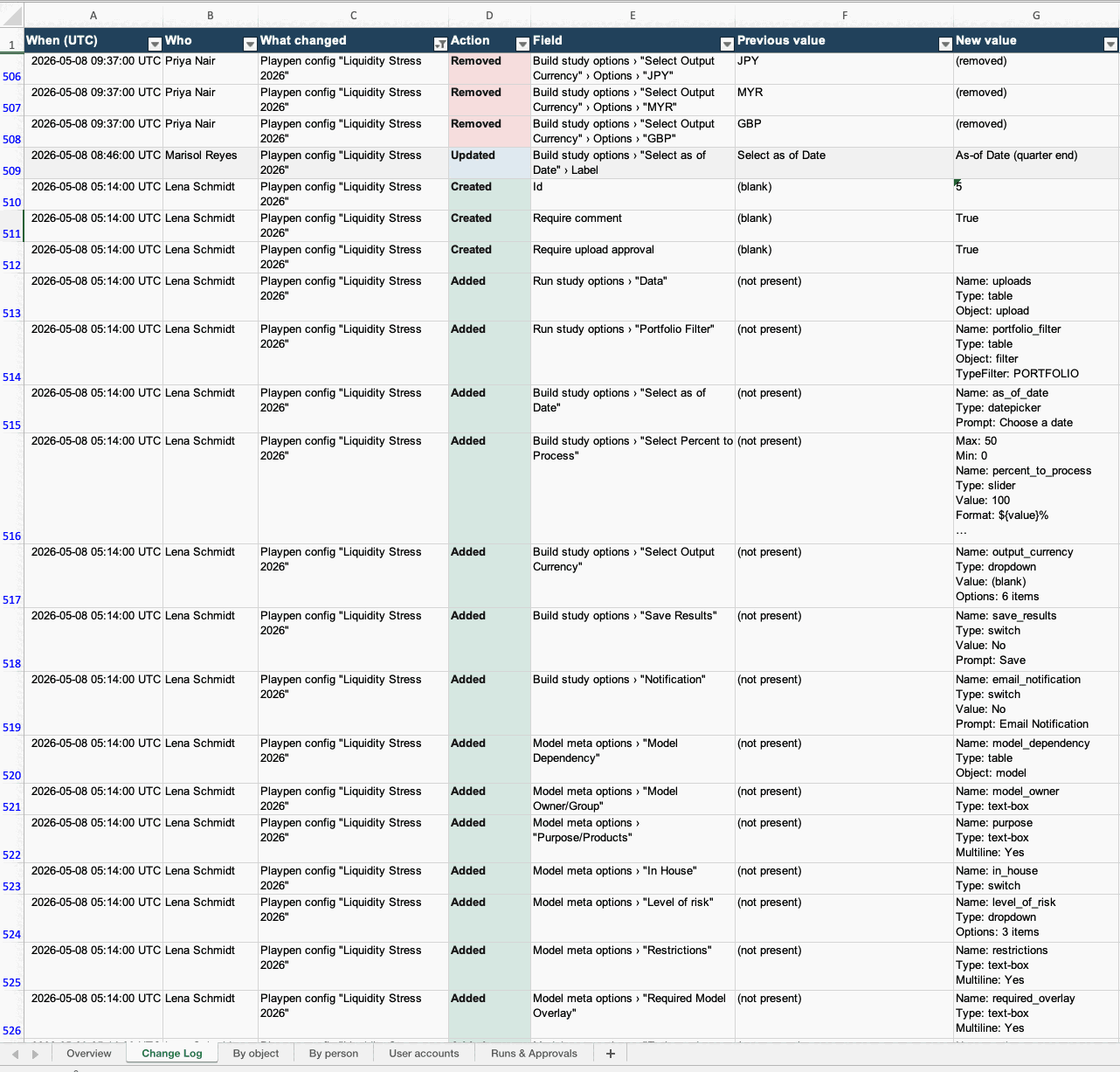
The Change Log lists the newest changes first. "By object" and "By person" summarize activity per object and per user. These sheets use Excel tables with date cells, so Excel's built-in filters work, including Date Filters such as "Between" for time ranges.
The hidden Raw data sheet keeps unresolved ids and original values, with
ISO-8601 timestamps stored as text and no table formatting. Values are still
subject to the formula protection described below and Excel's cell-length
limit. Control characters unsupported by XML are removed. change_log.csv
is in chronological (oldest-first) order; the run snapshot lists the most
recently started run first.
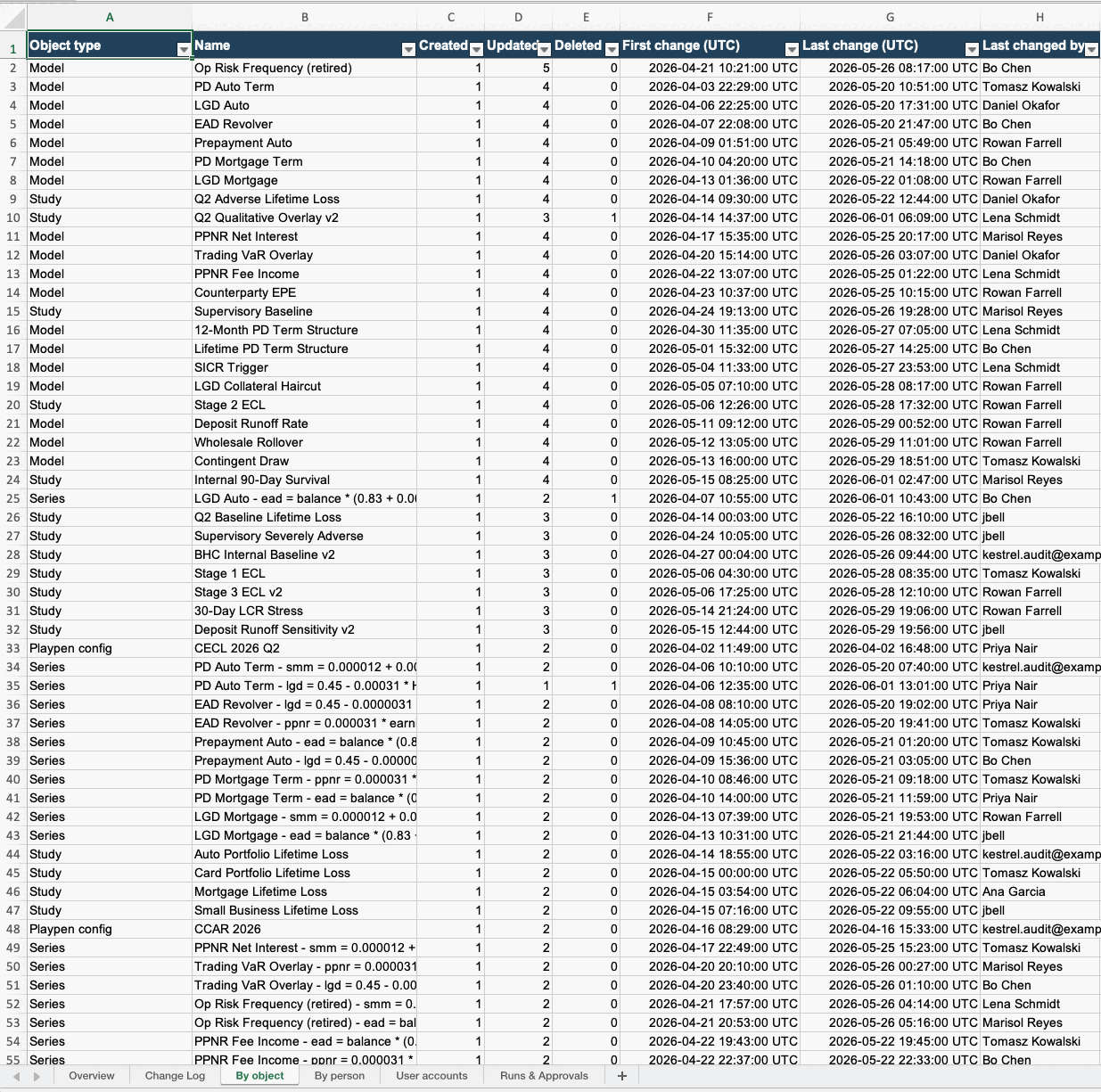
Use "By object" to review an individual study or other object. Each row includes its create/update/delete counts, first and last change times, and the user who last changed it.
The "Runs & Approvals" sheet and run_snapshot.csv list runs started
inside the reporting period. A run approved during the period but started
before it is outside that window.
For safety when these files are opened in Excel or LibreOffice, a value that
would otherwise be read as a formula is written with a leading apostrophe so it
shows as literal text rather than executing. That covers a value whose first
character is =, +, -, or @, a tab, or a carriage return, and the same
characters behind leading spaces (which some spreadsheet apps discard before
evaluating). A signed number such as -0.25 is left alone: it cannot be a
formula, and the apostrophe would be visible in the cell. A tool re-reading the
CSV should strip a leading apostrophe.